T2Love · E-commerce operations
Running the T2Love Storefront
- Problem
- Every season, a fashion store's inventory had to move from wholesale to retail, launches had to go live on schedule, and orders had to be packed, shipped, and returned correctly.
- What I did
- Ran the T2Love Shopify store day to day from June 2023 to September 2026. That covered product imports and data, inventory across Brandboom and Shopify, 4–5 seasonal launches a year, promotions, fulfillment, and returns.
- How I solved it
- Wrote a Python tool that turns each season's Brandboom export into a Shopify import, cutting prep from 5–7 days to 1–2. I checked every field before import and every link after launch, and when a tagging error got through, I fixed it at the source.
- Impact
- Over the period I ran the store, online visitors rose 187% and orders 75% year over year. Total sales rose 44% between two comparable periods.
At a glance
- +187%online store visitors, year over year
- +75%orders, year over year
- 250+new products imported a year
- −75%import prep time: 5–7 days down to 1–2
- Role
- Website Administrator
- Timeframe
- June 2023 – September 2026
- Tools
- Shopify · Brandboom · Python · Shopify Email
Overview
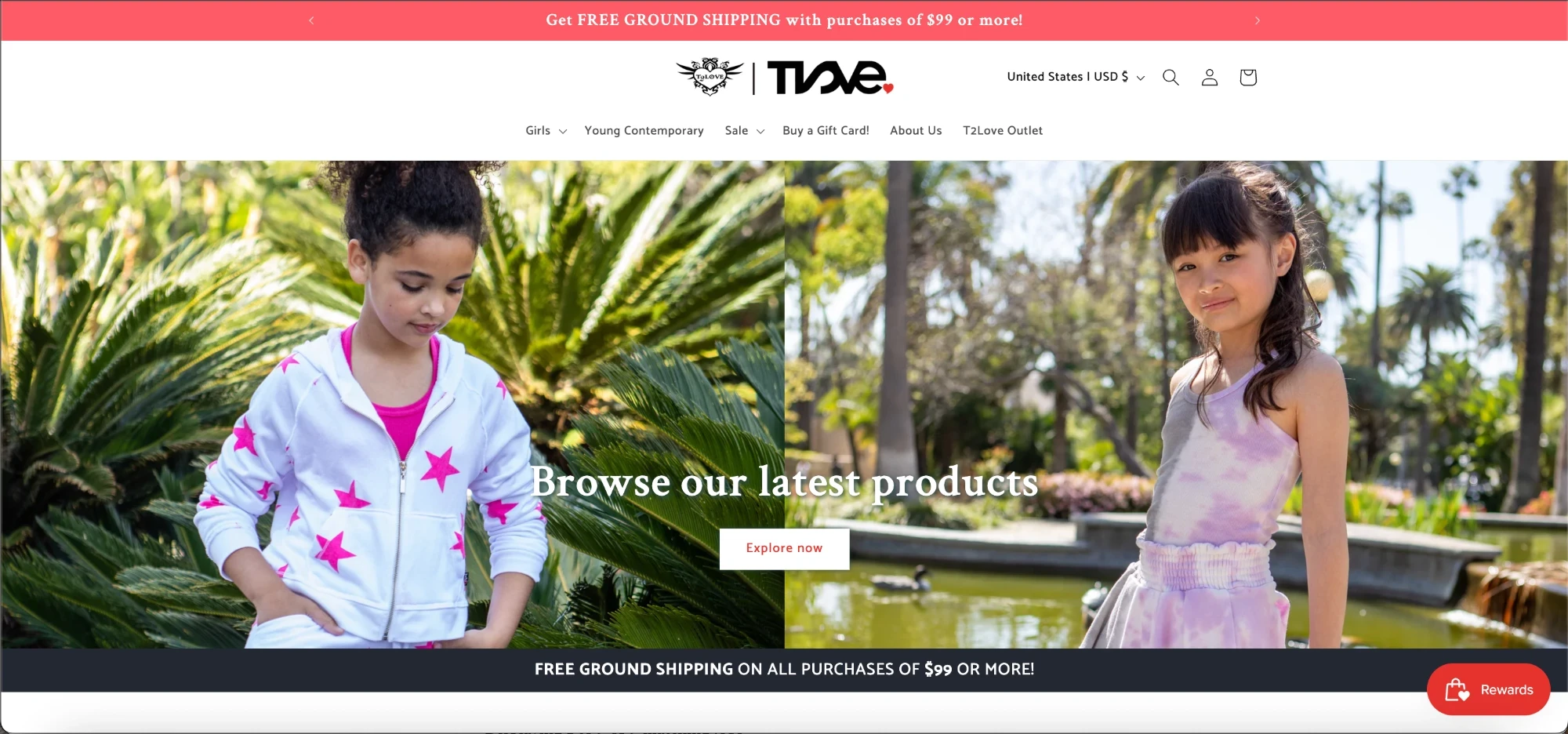
From June 2023 to September 2026 I ran the T2Love Shopify store day to day. That meant everything between a new collection arriving in the studio and a customer’s order going out: moving inventory from wholesale to retail, getting products into the catalog with the right data and images, launching each season, and fulfilling orders and returns.
Catalog and product data
- Imported 250+ new products a year to Shopify, categorized them, and linked them to their collection pages
- Checked every field before importing, then added each product’s photos by hand before making it available online
- Updated product detail pages with product photography and SEO keywords
- Published every image under its product’s SKU, so the storefront and the wholesale catalog referred to the same item the same way (the full image workflow is in Product Photography at Scale)
The work, area by area
Select an area to see the details.
Wholesale to retail, every season
Each season was sold wholesale first, through Brandboom. The inventory left over after the wholesale period became the retail stock for the Shopify store, and I set up every product’s sizes, colors, and stock levels in Shopify from it. Once the season was live, I kept the two systems in step by hand: whenever a customer bought on Shopify, I updated Brandboom to match Shopify’s stock levels.
Automating the import
Turning a season’s Brandboom export into something Shopify could import was slow, manual work. Cleaning up the export CSV by hand took 5–7 days. I wrote a Python program that takes the Brandboom export CSV for a season’s products and produces a Shopify-ready import CSV. With it, the same job took 1–2 days, about 75% less time, every season.
Adding missing images
Product images reached me from Brandboom already SKU-named and on a white background. When one was missing from that export, I fixed it myself. I went to the original file, cropped it to the 1:1 catalog spec, replaced the background with pure white in Shopify’s editor, and renamed it to its SKU plus the specific color or pattern. That way it matched every other file in the catalog.
Error catching: Mislabelled tags
While working on the Fall 2026 season, I found new-season products that had been tagged “basics” and were showing up in the Essentials collection, which is for basic, evergreen styles. I usually imported a season’s new products before adding its basics, so when I filtered Shopify by the “basics” tag, new-season styles that clearly weren’t basics showed up in the results. I bulk-edited those products to remove the tag.
The cause was in my own tooling. The Python program assigned tags from a CSV of styles, and that file attached “basics” to styles it shouldn’t have. I’d checked the Shopify import file before uploading, and again while adding each product’s photos, but this one got past both checks. So I fixed the source as well as the symptom. The styles file now has duplicate entries for a style, one tagged “basics” and one not, and the program checks that a product has no special additions — a screen print, a pattern, or a special or uncommon fabric — before it adds the “basics” tag.
Seasonal launches
Four to five times a year, a new collection went live. Each launch followed the same steps:
- Photograph the incoming products
- Import and check them in Shopify: every field reviewed before import, and photos added to each product before it went live
- Update the home page’s New Season banner and button, and the landing and collection pages
- Test the links on the home page, in the menu, and on the Girls’ collections page, and confirm the season’s products showed up on the site
- Announce the launch to the customer list by email
Order fulfillment
I fulfilled the store’s online orders myself. For each order:
- Pick the garments in the order
- Prepare them: steam, de-dust with a lint roller, and clip stray threads
- Pack each garment in a plastic garment bag, then into a shipping box
- Ship: buy the shipping label in Shopify and choose the carrier
Returns and exchanges
I handled returns and exchanges, whether a customer emailed us or started a return from their T2Love account. For some returns I emailed the customer to offer an exchange instead, and adjusted the return when they wanted one.
Promotions and email campaigns
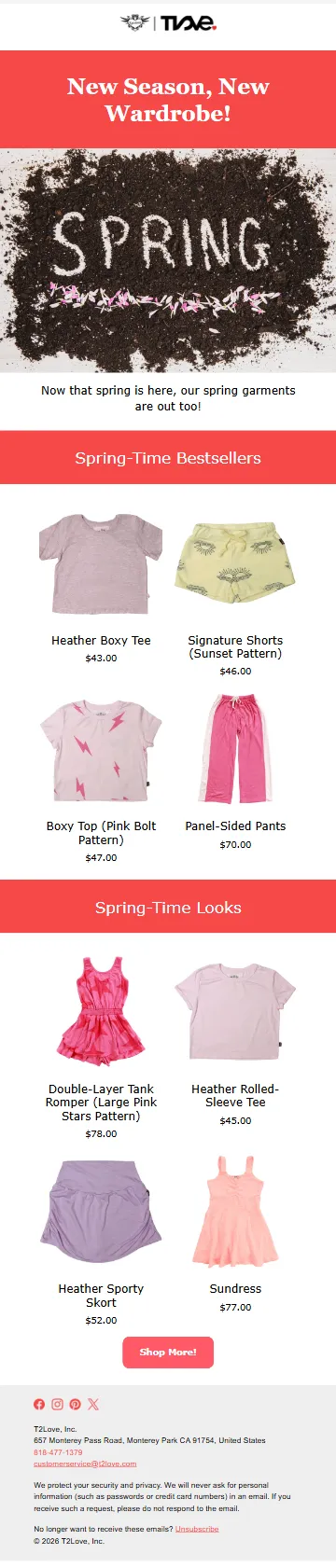
I planned and executed the store’s promotions: discount codes, sale periods, and the email campaigns that went with them, created in Shopify Email for promotions, holidays, and new-season arrivals. The Halloween promotion, the first email below, is typical: 25% off the entire order from October 24 to 31, 2025. The code was shown for customers who wanted to type it in, and a link applied it at checkout automatically.
Below are three of the campaigns I created, each built around that season’s product photography. Scroll inside an email to read it top to bottom.


Email domain security
I configured DKIM, DMARC, and SPF records for the store’s email domain. They make it harder for anyone to send phishing email that looks like it came from T2Love, and they help the store’s own email reach inboxes.
Results
I monitored the store through the Shopify dashboard, and the reporting covers the period I ran it. Each window is compared against the equally long window before it:
| Measure | Change | Period compared |
|---|---|---|
| Online store visitors | +187% | Jul 2024 – Jun 2025 vs. prior year |
| Sessions | +147% | Jul 2024 – Jun 2025 vs. prior year |
| Orders | +75% | Jul 2024 – Jun 2025 vs. prior year |
| Orders | +57% | Jan 2025 – Sep 2026 vs. Apr 2023 – Dec 2024 |
| Total sales | +44% | Jan 2025 – Sep 2026 vs. Apr 2023 – Dec 2024 |
| Gross sales | +32% | Jan 2025 – Sep 2026 vs. Apr 2023 – Dec 2024 |
The store also brought in 339 new customers between July 2023 and September 2026.
Traffic grew faster than orders, and orders grew faster than revenue. That’s the pattern you’d expect when promotions bring more people to the site and they buy smaller baskets.